
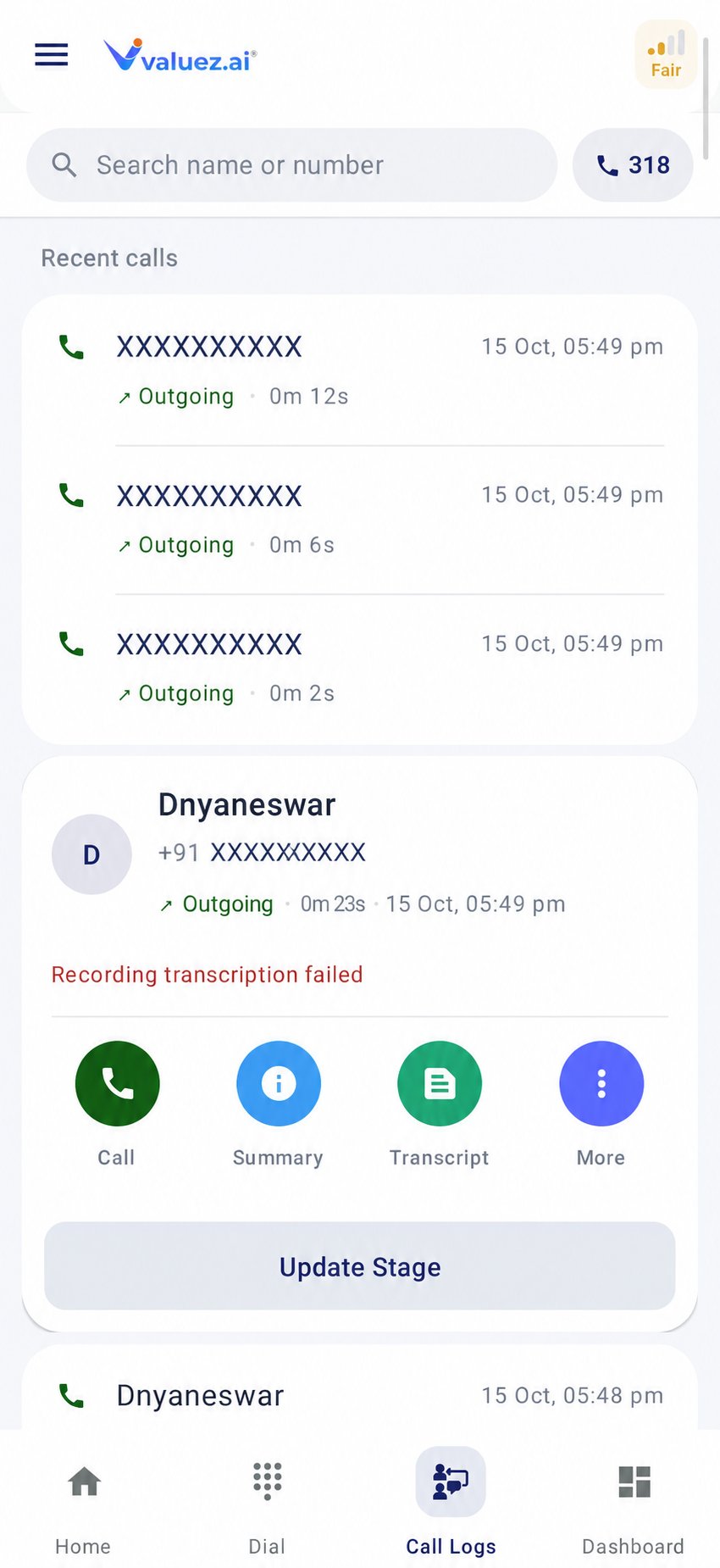
Call Logs list
Open a call record
- Open Call Logs.
- Select a customer or phone number.
- Review the available call time, duration, and customer information.
- Choose the action you need.
- Call — call the customer again.
- Summary — a short account of the conversation.
- Transcript — the recorded conversation converted to text.
- More — follow-up, call history, CRM data, and customer updates.
- Update Stage — save the sales stage and this call’s result.
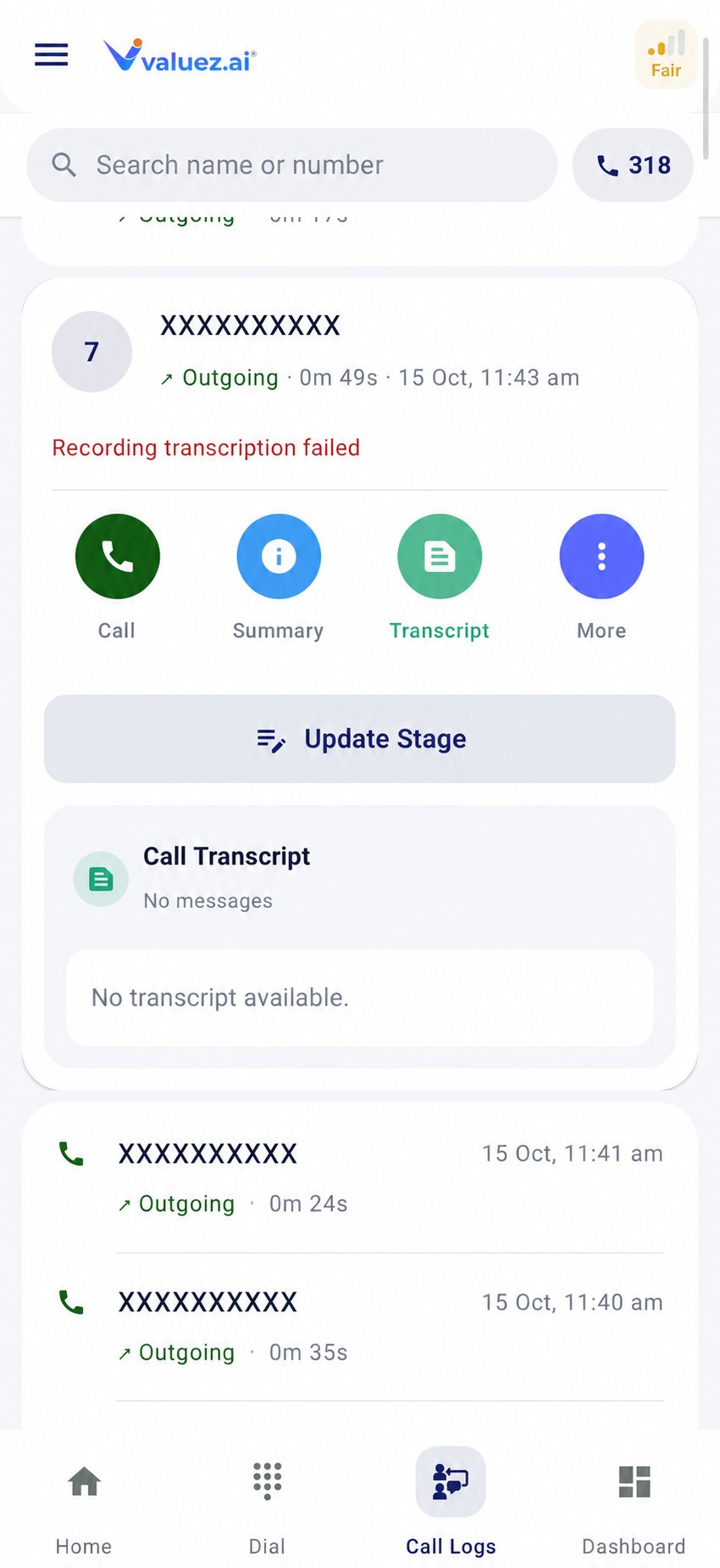
Customer call actions
Summary and transcript
The summary helps you recall the customer’s need, objections, and next action. The transcript gives more detail when a recording was captured and processed successfully.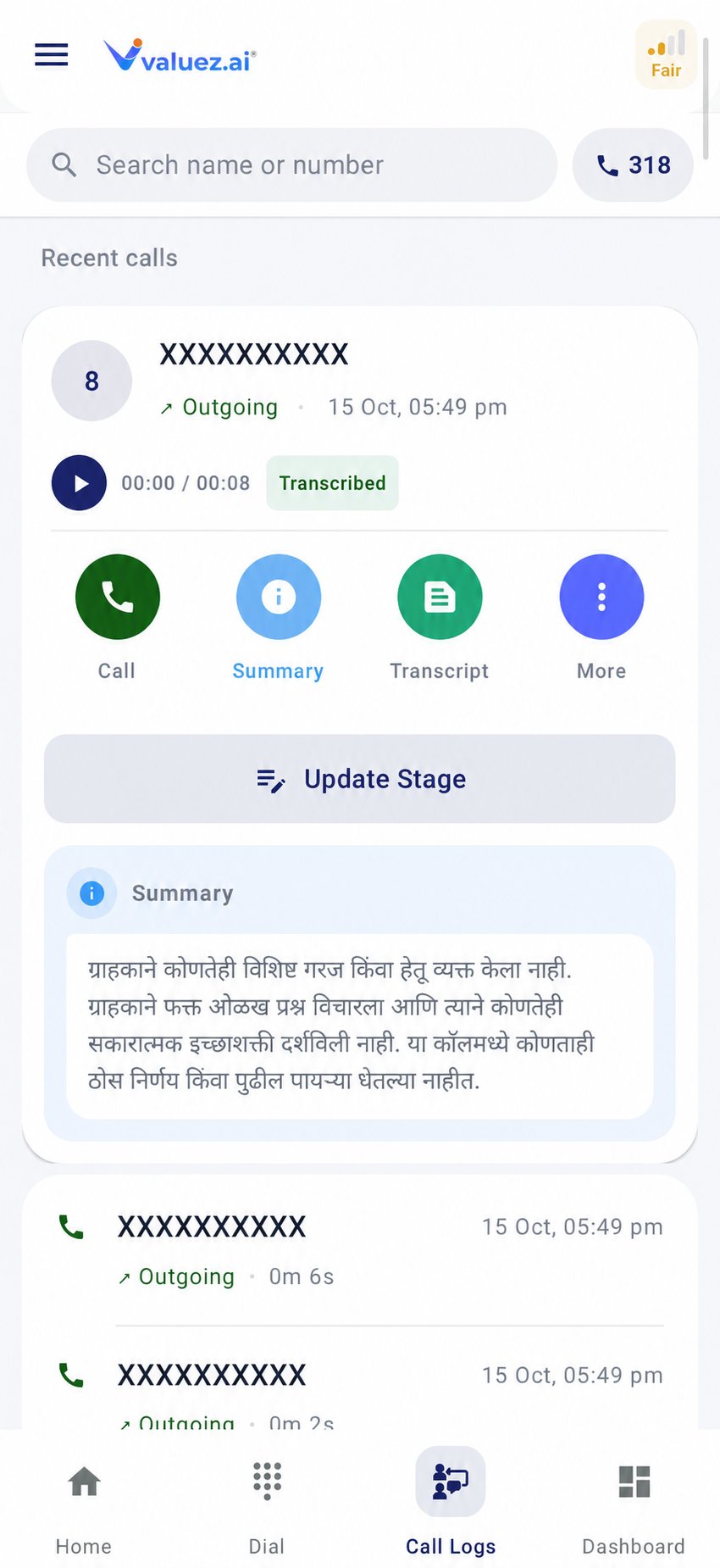
Processed call summary and transcript
Follow-up
Use More → Follow-up when the customer asks you to call or respond later.- Open the customer record.
- Tap More → Follow-up.
- Add the agreed date, time, and reason where those fields are available.
- Write a clear note, such as
Call Friday at 11 AM after customer reviews pricing. - Save the follow-up.
call later; they do not tell you what the customer expects.
Call History
Open More → Call History before a repeat call to review earlier conversations with the same customer. Check the most recent promise, call result, and duration so the customer does not need to repeat information.CRM Data
CRM Data shows saved customer information such as name, phone number, email, address, and notes. Treat this information as confidential and use it only for approved business activity.Update Customer
Use More → Update Customer when customer information is incomplete or incorrect.- Correct only the fields you have verified with the customer.
- Check phone and email spelling carefully.
- Add location or address details only when your process requires them.
- Save the changes.
Update Stage
Update Stage is a separate action on the call record. Use it to save:- The customer’s sales stage
- The result of the current call
- A remark and useful tags
- A scheduled follow-up
- Products for a quotation when applicable
Stages and quotations
Choose the right stage, save the call status, and prepare a quotation.
Device and recording status
Check network, SIM, battery, permissions, and recording readiness.