
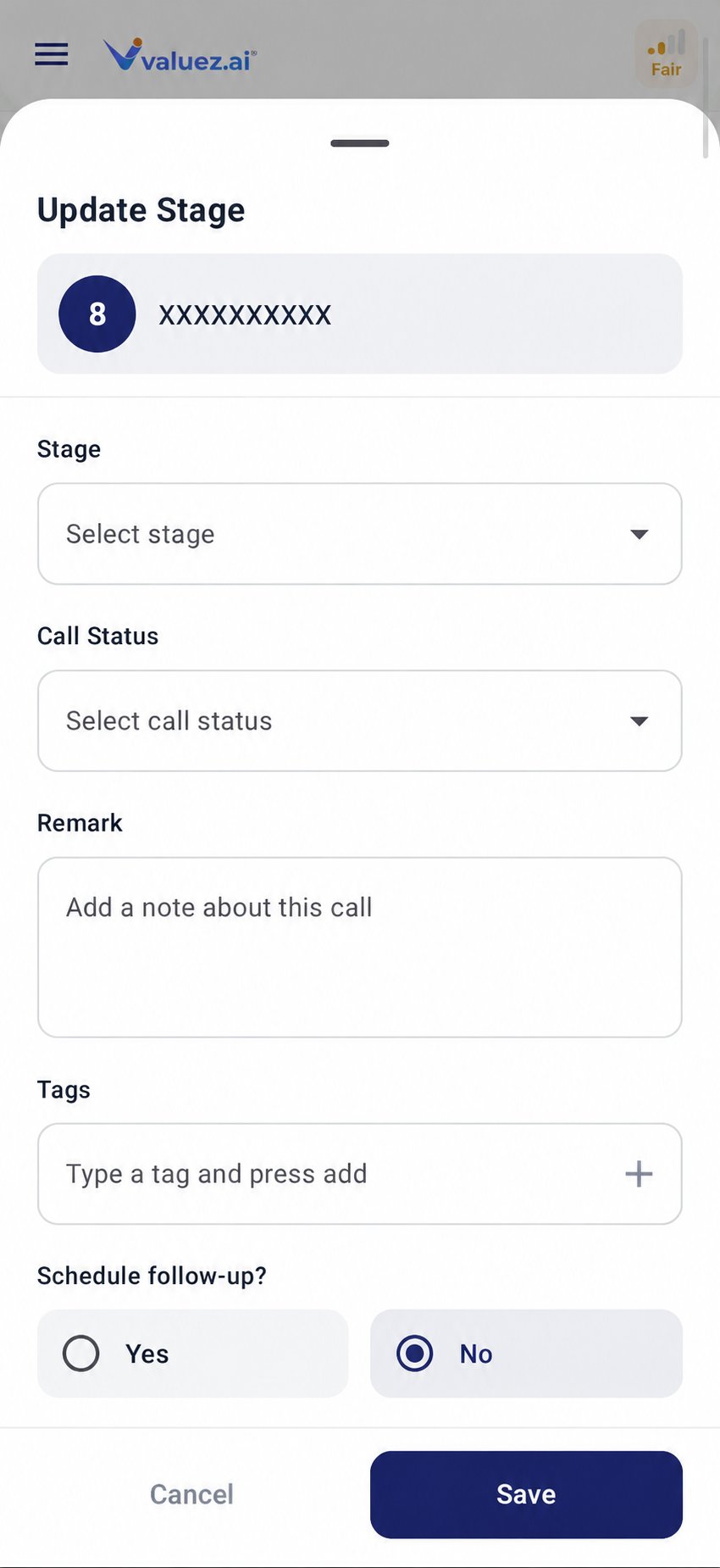
Update Stage form
Update a customer stage
- Open Call Logs.
- Select the customer.
- Tap Update Stage.
- Choose the stage that best describes the current position.
- Select the call status.
- Add a concise remark and any useful tags.
- Schedule a follow-up if you agreed on one.
- Save the change.
Choose the right stage
Your company may use the stages slightly differently. Follow the process given by your manager, and add a remark whenever the reason is not obvious.
Call status and stage are different
Call status describes one call. Stage describes the overall customer relationship. Examples:- A call can be Busy while the customer remains Interested.
- A call can be Connected while the customer moves from Qualified to Negotiation.
- A Wrong Number status may require corrected CRM data or closure based on company policy.
Prepare a quotation
When you select Quotation, product controls become available.- Select Quotation as the stage.
- Open Product List.
- Select the products discussed with the customer.
- Complete the available quantity, price, or product information required by your workspace.
- Choose the correct call status.
- Add a remark that records the customer’s request and any agreed deadline.
- Tap Preview Quotation and review the details.
- Correct any mistake before saving or continuing.
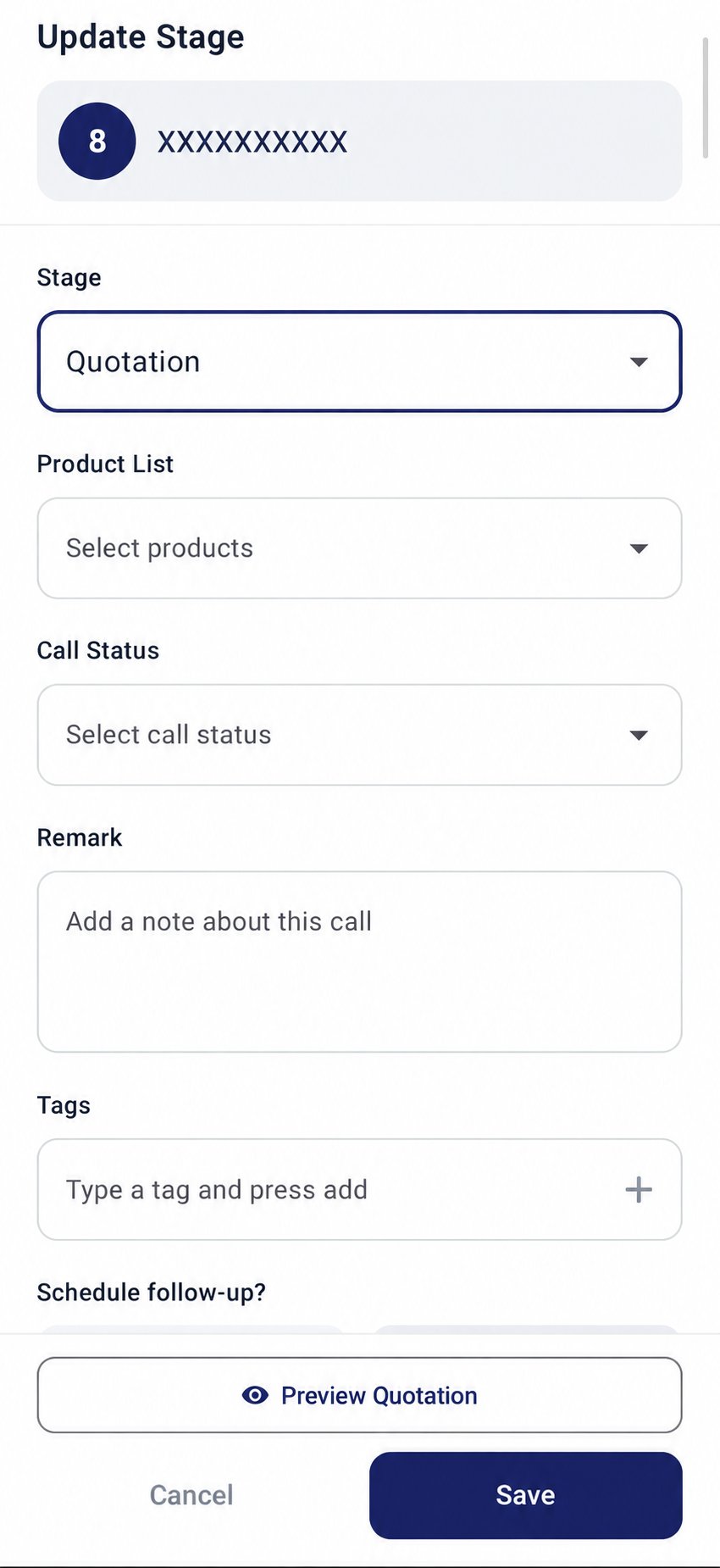
Quotation product selection and preview
Write useful remarks
A good remark records the decision and next action:Needs quotation for 10 units; send by 4 PM today.Price discussion in progress; manager approval needed for discount.Quotation shared; follow up Monday at 10:30 AM.
done, talked, or call again.
Before marking Converted or Lost
For Converted, confirm the success condition used by your company, such as an accepted quotation or completed order. For Lost, record the reason so the team can understand what happened.Check device and recording readiness
Review network, SIM, battery, permissions, and call-recording status.